
Guide · Governance, policy and return on investment
AI ROI: how to measure whether AI is paying back
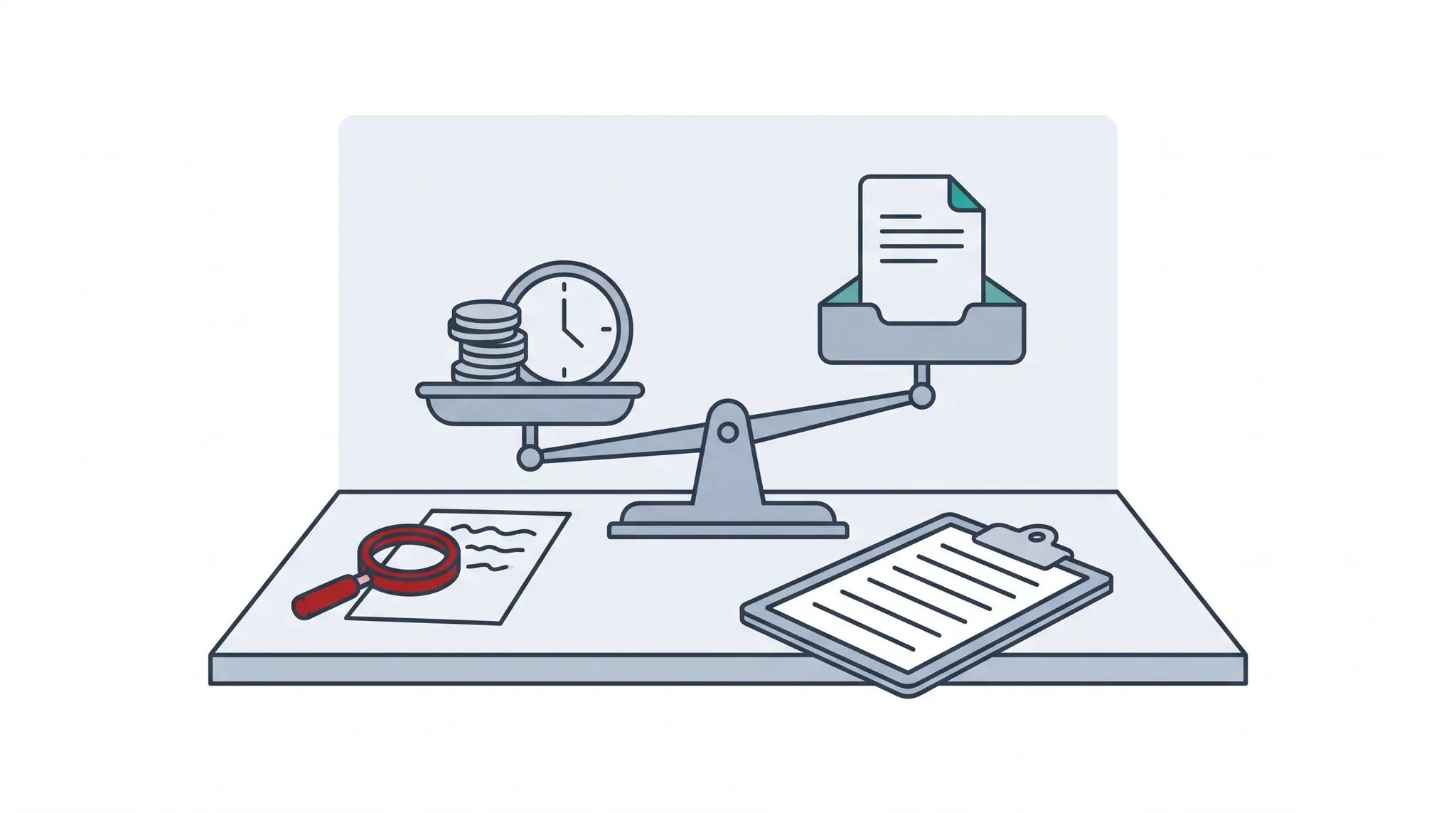
Measure AI’s return one task at a time. Take a baseline of how the work goes now, then compare cost per finished task: people’s time to prepare, check and fix, plus the AI’s cost. Add an outcome that matters, such as errors or late work. Usage counts and self-reported time saved alone don’t show a return.
By Andrew Ward, Founder of ScorchsoftChecked 12 minute read
In short
- Pick one repeated task and measure it before anything changes: time, errors and cost. That is your baseline.
- Compare cost per finished task, not cost per draft: checking and fixing time often decides the answer.
- Track one outcome people care about (fewer late returns, fewer errors), not only minutes.
- Don’t count logins, prompts or tokens as value, and treat “it saves me time” as a lead to test, not a result.
- Decide in advance what the saved time is for, or it tends to disappear.
Written for: Managers, finance leads and owners of small and mid-sized UK organisations deciding whether an AI tool or workflow is worth its cost.
What does ROI mean for AI at work?
Return on investment (ROI) for AI is what a task costs and achieves with AI, compared with what it cost and achieved before. For most organisations that use AI rather than build it, the honest unit is one finished task, not the licence or the whole business.
Most AI spend in a small or mid-sized organisation is a licence, some usage charges and people’s time. The return shows up, if it shows up at all, in individual tasks: a letter drafted, an invoice coded, a set of notes summarised. So the place to measure is the task, done the old way and the new way, counted the same way both times.
That makes ROI a question you can answer for one piece of work in a few weeks, rather than a forecast for the whole organisation. Once you have a few tasks measured, you can add them up. Until then, any organisation-wide ROI figure is a guess with a percentage sign on it. This guide is for organisations that use AI rather than build or sell it; it isn’t a substitute for your finance lead’s investment appraisal, and it doesn’t cover tax.
Also called
AI return on investment, AI business value, AI benefits realisation, AI payback.
What is cost per finished task, and why use it?
Cost per finished task (the course calls it cost per task) is the full cost of getting one piece of work to the standard you’d send: the minutes people spend preparing, checking and fixing, valued at what that time costs, plus the AI’s share. It stops a fast first draft hiding a slow, expensive finish.
AI often makes the first draft much quicker. The time then moves to checking it, fixing what’s wrong and sending back what slipped through. A measure that only counts drafting time will flatter almost any tool. Cost per finished task counts the whole job. The AI Stairway™ course introduces it in Module 3, and Module 10 puts it as “count the checking time, or the sums lie”.
- People’s time to prepare: finding the inputs, writing or picking the instruction.
- People’s time to check and fix, averaged across every task, including the ones that needed redoing.
- The AI’s cost: usage charges per task, plus each task’s share of the licence.
- Divide by the tasks that were finished to standard, not the drafts produced.
Value people’s time at a fully loaded hourly rate (pay plus on-costs) that your finance lead agrees, and use the same rate for both ways of working. The rate matters less than using the same one each time.
What does the arithmetic look like in practice?
In the invented example below, AI cuts the cost of a month-end chaser from £1.55 to £1.39, and halves late returns. If checking took three minutes instead of one and a half, the AI way would cost more than the old one.
Hayley McAllister coordinates client services at a 40-person accountancy practice; Gareth Bennett, the practice manager, wants to know whether AI is paying back. Each month Hayley sends about 120 chasers to clients whose paperwork is due. Before the test she measured a baseline: about 3 minutes to write each chaser, the odd one resent, and 4 late returns a month. In the test, an approved AI tool drafts each chaser from the practice’s tracker and Hayley checks and sends it. Everyone and every figure here is invented, including the £30 hourly rate and the £20 monthly licence share.
| Line | Old way | AI way (month 2 of the test) |
|---|---|---|
| Minutes to prepare | Included in writing | 0.5 |
| Minutes to write | 3 | 0 (the AI drafts it) |
| Minutes to check | Included in writing | 1.5 |
| Minutes to fix, averaged | 0.1 (one in 30 resent, 3 minutes each) | 0.4 (one in 10 fixed, 4 minutes each) |
| People’s minutes per finished chaser | 3.1 | 2.4 |
| People’s time cost | £1.55 | £1.20 |
| AI usage per chaser | £0.00 | £0.02 |
| Licence share (£20 a month ÷ 120 chasers) | £0.00 | £0.17 |
| Cost per finished chaser | £1.55 | £1.39 |
| Monthly cost (120 chasers) | £186.00 | £166.80 |
| Late returns a month (the outcome) | 4 | 2 |
Three things stand out. First, the saving is real but small: £19.20 a month. Setting the tool up took Hayley about 6 hours (£180 of her time), so on cost alone it takes around nine months to pay back. Second, the stronger case is the outcome: late returns halved, which matters to clients and to Gareth’s month-end. Third, checking decides everything. At 3 minutes of checking instead of 1.5, people’s time rises to 3.9 minutes (£1.95) and the AI way costs £2.14 a chaser, more than the old way.
Do the sum with your own numbers
Copy the table, replace the invented figures with your baseline and two weeks of test data, and change the checking minutes up and down. If a small rise in checking time wipes out the saving, the case rests on the outcome, and that’s the figure to measure carefully.
How do you take a baseline before you start?
A baseline is how the work goes today, measured before you change anything. Time a sample of real tasks, count errors and rework, and note one outcome. Without it, any later figure has nothing to be compared with.
Step 1: Pick one repeated task
Something done at least weekly, by a known group of people, with a clear finished state: a chaser sent, an invoice coded, a set of notes filed.
Step 2: Time a fair sample
Twenty to thirty real tasks across a normal week or two, timed by the people who do them. Include the awkward ones. A stopwatch and a shared sheet are enough.
Step 3: Count rework and errors
How many needed fixing or sending back, and how long that took. This is the part people forget and the part AI most often changes.
Step 4: Note one outcome
The thing the task is for: late returns, complaints, days to close, errors found later. One figure, measured the same way before and after.
Step 5: Write it down and date it
Agree the figures with whoever will judge the result, before the test starts. A baseline agreed afterwards tends to drift towards the answer people hoped for.
Describe the process, not the people. A baseline measures how work flows, not who is quick or slow, and saying so at the start makes people far more willing to time their own work honestly.
What shouldn’t you count as AI ROI?
Don’t count usage (logins, prompts, licences issued or tokens used) as value, and don’t treat self-reported time saved, on its own, as proof. Both are worth watching. Neither tells you whether the work got cheaper or better.
| Tempting measure | Why it misleads | Use instead |
|---|---|---|
| Active users, logins, prompts | Shows the tool is open, not that the work improved. | Cost per finished task on named tasks. |
| Tokens used, or a usage leaderboard | Rewards volume. When a measure becomes a target, people chase the measure. | What the use was for, and what it gained. |
| “It saves me 30 minutes a day” (survey) | People can misjudge their own speed (see the METR study below), and reported time saved doesn’t show where the time went. | A timed sample before and after, plus one outcome. |
| Time to first draft | Leaves out checking and fixing, where the time often goes. | Time to a finished, checked task. |
| Licences bought | An input, not a result. | The return on the tasks those licences touch. |
Self-reports still have a use: they tell you where to look. If people say a task got faster, time it. If they say the AI’s drafts need heavy fixing, that is your checking cost, and it belongs in the sum.
The one thing not to do
Don’t rank people by how much they use AI. It tells them usage is the goal, and you’ll get usage. Measure the work instead.
What does the research say about AI productivity?
Measured gains are real in some tasks and absent or negative in others, and people’s own estimates are unreliable. The UK government’s own Copilot trials found time savings that people reported, but no evidence yet that they became higher productivity.
| Study | What it found | What it doesn’t show |
|---|---|---|
| Government Digital Service, Microsoft 365 Copilot experiment (UK government evaluation; about 20,000 government employees in 12 organisations, 30 September to 31 December 2024; published 2 June 2025) | Users reported saving about 26 minutes a day on average; 17% noticed no clear time saving. | The savings were self-reported, and the report says it was not possible to identify how the time saved was spent. |
| Department for Business and Trade, M365 Copilot evaluation (UK government evaluation; 1,000 licences, from October 2024; published August 2025) | Small time savings and high satisfaction; some tasks, such as scheduling, took longer; checking of outputs was inconsistent. | It “did not find evidence that time savings have led to improved productivity”. Productivity wasn’t a key aim, so it’s an absence of evidence, not proof of no effect. |
| METR, experienced open-source developers (research non-profit; 16 developers, 246 tasks; July 2025) | With AI they took 19% longer, but believed afterwards that AI had sped them up by 20%. | A small, specialised group in early 2025. METR now says these results are out of date. Its lasting lesson is the gap between felt and measured speed. |
| Brynjolfsson, Li and Raymond, “Generative AI at Work” (peer-reviewed, Quarterly Journal of Economics, 2025; 5,172 customer-support agents at one firm) | Issues resolved per hour rose 15% on average, measured from the firm’s own data, with larger gains for less experienced agents. | One firm, one kind of work and an early tool. It shows a measured gain is possible, not that yours will match it. |
| Humlum and Vestergaard, “Still Waters, Rapid Currents” (NBER working paper, May 2025, revised March 2026; Denmark, survey linked to official earnings records) | “Precise null effects” on earnings and recorded hours two years after ChatGPT’s launch, while the structure of work changed. | Pay and hours aren’t the only possible return, and it covers Denmark to about 2024. |
The pattern across them supports measuring your own tasks rather than borrowing a headline figure. A vendor’s productivity figure is the vendor’s research about its own product: read it as a claim to test, and look for whether it was measured or self-reported, in what work, and against what baseline. We haven’t found a neutral source for an average AI ROI multiple or payback period, so we don’t quote one.
What should happen to the time AI saves?
Decide before the test what saved time is for: more clients served, a backlog cleared, slower and more careful work where it matters, or simply less overtime. Time that nobody plans for tends to be absorbed and can’t be counted.
Both UK government evaluations above ran into the same gap: people reported saving time, but neither evaluation could show what that time became. If you want to count saved time as a return, name its use in advance and measure that too. In Hayley’s case, Gareth might decide the saved hour or so a month goes on calling the two or three clients who are always late, which is the outcome the practice actually wants.
Be open with staff about this. If saved time might change roles or hours, people will reasonably wonder, and honest early answers do more for a fair measure than silence. Our guide to whether AI will take my job covers how to talk about it.
What can you do this week?
Choose one repeated task, take its baseline, and set up a one-page sheet to compare cost per finished task. Then run it as a short, measured test with a stop rule agreed before you begin.
An AI ROI sheet for one task (copy it)
- Task, and who owns the result:
- Baseline (dated): minutes per task, rework rate, one outcome:
- Hourly rate agreed with finance, used for both ways of working:
- AI way: minutes to prepare, check and fix, averaged over all tasks:
- AI cost per task: usage plus licence share:
- Cost per finished task, old way and AI way:
- The outcome, old way and AI way:
- What the saved time is for, and how we’ll see it:
- The stop rule, agreed before we start:
- Who decides, and on what date:
The owner is whoever carries the outcome of the task, usually its team leader, with finance agreeing the rate. Our 90-day AI pilot guide turns this sheet into a full test, and the AI readiness assessment helps if you aren’t sure your organisation can run one yet.
When is a return big enough to scale?
Scale when the measured saving or outcome, multiplied by the people who would use it, clearly beats the cost of building, running, checking and looking after the workflow. Small savings on one desk rarely pay for a big build.
Running a workflow across a whole organisation usually means building it into a system, with checks, permissions and someone to look after it when the AI model or the rules change. That costs people’s time or an outside build. Weigh it against the size of the problem: some ideas break even, some aren’t worth it, and the bigger the return, the stronger the case. That weighing is Scorchsoft’s practice from software projects, not research.
The conditions matter as much as the arithmetic: permission, access to the data, governance and a named owner. Our AI governance guide covers the rules side, and the AI maturity model guide shows where a measured workflow sits on the climb.
Questions people ask
How do you calculate the ROI of AI?
For each task, compare cost per finished task before and after: people’s time to prepare, check and fix, valued at an agreed hourly rate, plus the AI’s usage and licence share. Add one outcome measure. ROI is the difference, set against what it cost to set up and run.
What is a good ROI for AI?
There’s no reliable benchmark, and we haven’t found a neutral source for an average multiple. A good result is one that beats your own baseline on cost per finished task or a named outcome, with checking time counted, and that still holds when you scale the costs up.
Are self-reported time savings useless?
No, but they aren’t proof. People misjudge their own speed: in one 2025 study, developers who were slower with AI believed they were faster. Use self-reports to find tasks worth timing, then measure them.
How long before you can measure AI ROI?
For one task, a baseline takes a week or two and a fair test about 60 to 90 days, long enough to get past the novelty and see rework. Organisation-wide returns take longer and depend on many tasks being measured.
Should we count AI licences as the cost?
Count them, but they’re usually the smaller part. People’s time to prepare, check and fix, and the time to set up and look after the workflow, often costs more than the licence.
Training for the whole team
The AI Stairway™ gives everyone the same careful habits, then helps your team agree its rules and test one AI idea properly. Everyone can start with the free introductory module.
AI training for teamsSources
Every figure on this page comes from one of these. Links open in a new tab.
- Microsoft 365 Copilot Experiment: Cross-Government Findings Report (opens in a new tab). Government Digital Service, 2 June 2025.
- M365 Copilot evaluation (opens in a new tab). Department for Business and Trade, August 2025.
- Measuring the Impact of Early-2025 AI on Experienced Open-Source Developer Productivity (opens in a new tab). METR, 10 July 2025.
- Generative AI at Work (Brynjolfsson, Li and Raymond), Quarterly Journal of Economics 140(2) (opens in a new tab). Oxford University Press, 2025.
- Still Waters, Rapid Currents: Early Labor Market Transformation under Generative AI (Humlum and Vestergaard) (opens in a new tab). National Bureau of Economic Research, working paper 33777, May 2025, revised March 2026.